Artificial Intelligence
Keeping My Claude and Codex Usage in the Menu Bar
Series: AI & Engineering
I pay for both Claude and Codex and move work between them. Two small macOS menu bar apps keep both usage limits in view so I can make better choices about which tool and model to use.
Keeping My Claude and Codex Usage in the Menu Bar
I've recently started using Claude Code and Codex from their desktop apps rather than from the terminal. The one thing I lost was the status line - in the terminal my usage percentages were always right there, and in the desktop apps they weren't. I wanted something persistent, and on the Mac the most convenient place for that seemed to be the menu bar.
So I built two small menu bar apps: Claude Usage Menu and Codex Usage Menu.

The Claude app shows 5h 90% · 7d 98%, the percentage left in the 5-hour and weekly limits. The Codex app shows the weekly limit. Click either one and you get the reset times, a countdown to the next refresh, and a refresh button.
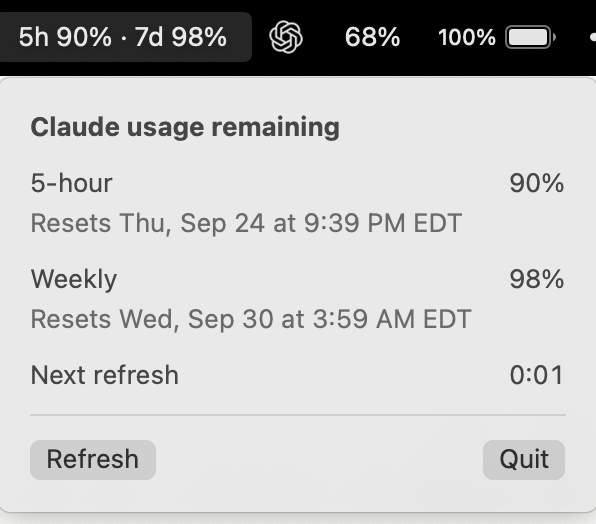
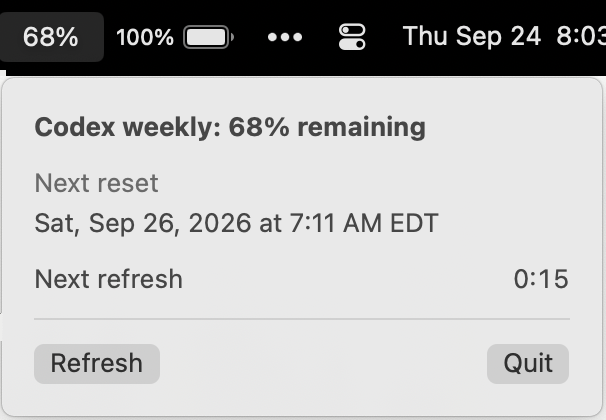
I built the Codex one with Codex and the Claude one with Claude Code, and the whole project took less than 2 hours for both apps. It also gave me a chance to write and review some Swift, which I hadn't done in a while.
Why I want to see both
I currently pay for both subscriptions, so the most obvious use is switching between them - either for different kinds of work, or when my usage is low or used up on one of them. I find Claude to be better at UI-focused tasks, and Codex to be more token efficient, generally speaking.
The numbers also give me an idea of how heavy the tasks I've been doing are. If a frontier model is using a lot of usage on something that probably doesn't need it, that's my cue to move the more repetitive or trivial tasks to a smaller model like Luna or Haiku.
This matters even more on the Claude side, because Claude chat and Claude Code use the same quota. ChatGPT doesn't use the Codex quota, so a long chat there doesn't cost me any agentic coding time. With Claude it does.
What the side-by-side view has shown me
Since the release of Opus 5.5, I've been pretty surprised by how slowly my 5-hour and weekly percentages have been dropping with Claude compared to past models. They've also been dropping more slowly than Codex, which is supposedly running GPT-6 Sol. It seems like Claude is back to being the more efficient one - for now.
Before this, I only really noticed shifts like that in the terminal, from the status line or from some ad hoc analysis on my sessions. Now it's just there in the menu bar, side by side, all the time.
How they work
The two apps look basically identical, but they get their numbers in different ways.
Codex made this easy. The Codex CLI runs a local app server with a method, account/rateLimits/read, that returns exactly what I needed, so the app just asks it every 30 seconds.
Claude Code doesn't have a local server like that. It does have the /usage command, so the Claude app calls the same usage endpoint that command reads, using the Claude Code sign-in already stored in the macOS Keychain. The app only ever reads that sign-in and never refreshes it, because refreshing it rotates the token Claude Code itself depends on - it would quietly break the tool it's supposed to be watching. It also has to check every Claude Code-credentials item in the Keychain, since Claude Code writes one per config directory and some of them don't hold a usable token.
Ultimately the goal is really just to monitor my usage and make better choices. If you use either tool on a Mac, both repos have build instructions in the README:
- Claude Usage Menu: github.com/danielfullerton/claude-usage-menu
- Codex Usage Menu: github.com/danielfullerton/codex-usage-menu